How to Prepare for Your First VR Zombie Shooter Experience


Understanding the VR Equipment
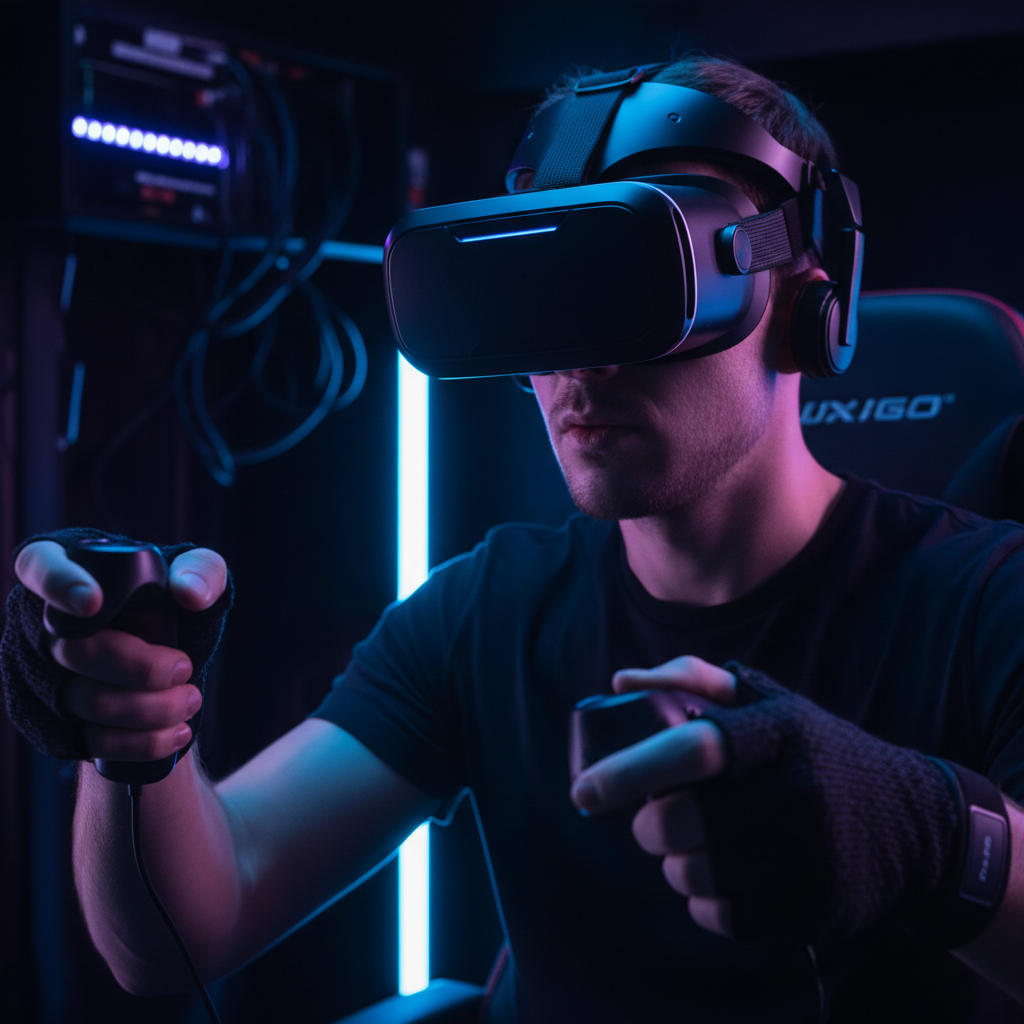
Before diving into your first VR zombie shooter experience, it's essential to familiarize yourself with the VR equipment. A typical setup includes a VR headset, controllers, and sensors. Ensuring that your equipment is set up correctly will help you fully immerse yourself in the game.
Start by adjusting the headset for comfort. It should fit snugly without causing discomfort. Use the straps to secure it properly. Controllers are your main tools for interaction, so spend some time understanding their functions and buttons.
Choosing the Right Game
With numerous VR zombie shooter games available, selecting the right one can be overwhelming. Consider your skill level and the type of experience you want. If you're new to VR gaming, opt for a beginner-friendly game with tutorials and adjustable difficulty levels.
Research different games by reading reviews and watching gameplay videos. This will give you an idea of the game's mechanics and whether it aligns with your interests. Popular options include games like "Arizona Sunshine" and "The Walking Dead: Saints & Sinners."
Creating a Safe Play Area
Safety is paramount when playing VR games. Ensure you have a clear, open space to move around without the risk of bumping into furniture or walls. Remove any obstacles or tripping hazards to prevent accidents.
Consider marking the boundaries of your play area with tape or using the VR system's built-in boundary features. This will help you stay aware of your surroundings while immersed in the game.

Getting Comfortable with VR Controls
Before jumping into the action, take some time to practice using the VR controls. Learn how to aim, shoot, and interact with objects within the game. This practice will make you feel more comfortable and confident during intense moments.
Many games offer training or practice modes. Utilize these to hone your skills and get accustomed to the game mechanics. The more comfortable you are with the controls, the more enjoyable your experience will be.
Mental and Physical Preparation
VR games can be physically demanding and may induce motion sickness for some players. To minimize discomfort, stay hydrated and take breaks when needed. If you feel dizzy or nauseous, pause the game and rest until you feel better.
Mentally prepare yourself for the immersive experience. VR zombie shooters can be intense and thrilling. If you're prone to anxiety, start with shorter sessions and gradually increase the time as you become more comfortable.
Tips for a Thrilling Experience
To enhance your experience, consider playing with friends. Many VR zombie shooters offer multiplayer modes, allowing you to team up and strategize together. This can add excitement and create memorable moments.
Adjust the in-game settings to suit your preferences. Experiment with audio levels, graphics settings, and control sensitivity to find what works best for you. Customizing these settings can significantly impact your enjoyment of the game.
Post-Game Reflection
After your VR session, take some time to reflect on your experience. Consider what you enjoyed and areas where you could improve. This reflection will help you get better with each session and enhance your overall gaming skills.
Share your experiences with friends or online communities. They may offer valuable tips and insights to further enrich your future VR adventures.